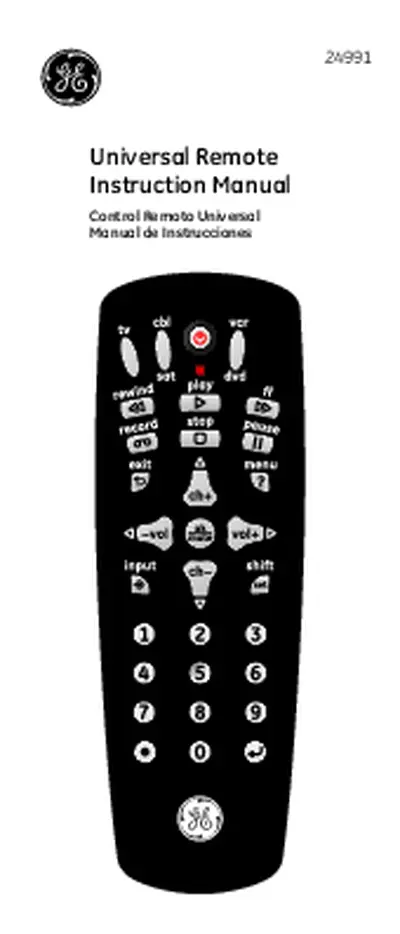
Universal Remote Instruction Manual

Universal Remote Instruction Manual

The Universal Remote Control Instruction Manual provides comprehensive guidance on programming and using the GE Universal Remote. It covers battery installation, button functions, and troubleshooting tips to enhance user experience. This manual is essential for anyone looking to simplify their home entertainment setup by consolidating multiple remote controls into one. It includes detailed instructions for programming various devices such as TVs, DVD players, and cable boxes. Ideal for users seeking to maximize the functionality of their universal remote, this guide ensures seamless operation across all compatible devices.

Key Points

  • Explains battery installation and precautions for the GE Universal Remote.
  • Details button functions for controlling TVs, DVD players, and cable boxes.
  • Includes troubleshooting tips for common remote issues and solutions.
  • Covers programming methods, including direct code entry and auto code search.
86
/ 44
Universal Remote
Instruction Manual
Control Remoto Universal
Manual de Instrucciones
24991
2
Congratulations on your purchase of the GE Universal
Remote Control. The GE Universal Remote Control is
one of the most easy to use remote controls available
today. With the GE Universal Remote Control, juggling
multiple remote controls is a thing of the past!
Your GE Universal Remote Control controls multiple
devices, including the most popular brands of TV, VCR,
DVD, CBL, and SAT. The GE Universal Remote Control
is easy to use, easy to program, and it gives you total
control—at the touch of your fingertips!
IMPORTANT: SAVE THIS MANUAL AND CODE LIST
FOR FUTURE REFERENCE
Introduction ..................................................................................... 2
Setup .................................................................................................. 3
Battery Installation ............................................................... 3
Battery Saver ........................................................................... 3
Code Saver ............................................................................... 3
Button Functions ................................................................... 4
Programming Your Remote ..................................................... 6
Direct Code Entry................................................................... 6
Auto Code Search ................................................................. 8
Using Your Remote ....................................................................10
Controlling Combo Devices ............................................10
Using SHIFT ............................................................................10
Master Volume Feature ....................................................11
Code Identification .............................................................12
Reset to Factory Settings .................................................12
Troubleshooting ..........................................................................13
Warranty ........................................................................................14
FCC Statement .............................................................................15
Table of Contents
3
Your universal remote requires two (2) AAA
Alkaline batteries (not included).
To Install the Batteries
1. On the back of the remote, push down on the tab
and lift the cover off.
2. Match the (+) and (-) marks on the batteries to the
(+) and (-) marks inside the battery compartment,
then insert two (2) AAA Alkaline batteries. Be sure
to use fresh batteries.
3. Press the battery cover back into place.
NOTE: If your remote stops operating properly,
replace the batteries with new ones. The remote will
retain the codes you have programmed for up to 10
minutes after the batteries are removed.
Battery Precautions
Do not mix old and new batteries.
Do not mix alkaline, standard (carbon-zinc), or
rechargeable (Ni-Cd, Ni-MH, etc.) batteries.
Always remove old, weak or worn-out batteries
promptly and recycle or dispose of them in
accordance with local and national regulations.
Battery Saver
Your remote automatically turns off if the buttons are
depressed more than 8 seconds. This will save your
batteries should your remote get stuck in a place
where the buttons remain depressed (e.g., between
the sofa cushions).
Code Saver
You will have up to 10 minutes to change the
batteries in your remote without losing codes you
have programmed. However, do not press any
buttons until batteries are installed in the remote. If
buttons are pressed without batteries in the remote,
all codes will be lost.
Setup
/ 44
End of Document
86
You May Also Like

FAQs of Universal Remote Instruction Manual

How do I program my GE Universal Remote?
To program your GE Universal Remote, first turn on the device you wish to control. Press and hold the SETUP button until the red indicator stays on, then release it. Next, press the device button (TV, DVD, etc.) and enter the first four-digit code from the code list. If the device turns off, the programming is successful. If not, repeat the process with the next code until you find one that works.
What should I do if my remote stops working?
If your remote stops working, first check the batteries to ensure they are fresh and installed correctly. If the remote still does not function, try resetting it by removing the batteries and pressing any button for 10 seconds. After that, reinstall the batteries and reprogram the remote. If issues persist, consult the troubleshooting section of the manual for further assistance.
What devices can the GE Universal Remote control?
The GE Universal Remote is designed to control multiple devices, including TVs, DVD players, VCRs, cable boxes, and satellite receivers. It supports a wide range of popular brands, making it versatile for various home entertainment systems. Users can program up to three devices, allowing for a streamlined control experience.
How does the Master Volume feature work?
The Master Volume feature allows users to set a specific device, either a TV or an audio receiver, to control the volume regardless of which device mode the remote is in. To enable this feature, hold the SETUP button, select the desired device, and press the MUTE and VOL buttons. This ensures that volume adjustments are made to the selected device, providing convenience and flexibility in managing audio levels.


Related of Universal Remote Instruction Manual