ALEKS Knowledge Checks Overview For Students

ALEKS Knowledge Checks Overview For Students

ALEKS Knowledge Checks provide students with an adaptive assessment tool to measure mastery of mathematical topics. These checks help identify which areas students have learned, mastered, or still need to work on, ensuring effective study habits. Designed for high school and college students, ALEKS Knowledge Checks guide users through a personalized learning experience. The system tracks progress and reinforces topics, making it easier to prepare for exams. With a focus on systems of equations and matrices, students can expect a comprehensive review of essential math concepts.

Key Points

  • Explains the two-step process of learning and mastering topics in ALEKS.
  • Describes how Knowledge Checks adapt to student performance to optimize learning.
  • Highlights the importance of revisiting previously mastered topics for retention.
  • Details the reporting features that track mastery and guide future study efforts.
180
/ 2
Learned vs. Mastered
Before we dive into Knowledge Checks, its important to know the difference between learning a topic and mastering a
topic in ALEKS. This difference is shown in the three categories of each pie slice: Learned, Mastered, and Remaining.
The ALEKS Pie to the right shows what we mean by this.
The pie slice Systems of Equations and Matrices has 40
topics. If this was your pie, you can see that out of the
40 topics in this slice, you’ve mastered 5, learned 3, and
have 32 left to learn.
Your job is to get all 40 topics in the mastered category.
Mastering a topic in ALEKS is a two-step process.
Step 1: learn the topic. To learn a topic means to study it,
practice it, and understand it. ALEKS will give you credit
for learning a topic when you answer several practice
problems correctly (doesn’t have to be in a row).
Step 2: prove mastery of the topic. To master
a topic means that you really understand it and know
how to do a practice problem for that topic by yourself
without any help. ALEKS will give you credit for mastering
a topic when you answer a practice problem (without help) on an ALEKS Knowledge Check.
Sometimes you might see a problem on a Knowledge Check for a topic you’ve already mastered. Thats okay. This is
done on purpose to make sure you still remember it. Lets say its two months into the semester and you forgot a couple
topics from earlier in the course. Your latest Knowledge Check will pick up on that, and you’ll be guided to review those
topics again. While this might seem unnecessary at first, remember this: its better to forget a topic on a Knowledge
Check than to forget it on an exam! The Knowledge Check will give you the opportuntiy to review missed topics so that
you are prepared for your next exam.
All About Knowledge Checks
ALEKS Knowledge Checks
ALEKS Knowledge Checks measure your mastery of topics. They are adaptive, open-response, and no more than 30
questions. To understand them, think about how a human tutor helps you. Do they quiz you to make sure you remember
what you just learned? Do they tell you what you need to focus on? Do they help you review for the next exam? Now
think of these Knowledge Checks as your own personal tutor. They figure out which topics you’ve mastered, and which
ones you still need to work on. Taking these Knowledge Checks seriously and honestly will save you TIME in the system.
You won’t struggle trying to learn topics you aren’t ready for, and you won’t waste time on topics you already know.
How often will you get a Knowledge Check?
The way your instructor sets up your ALEKS course determines when you get a Knowledge Check. Every course starts
with an Initial Knowledge Check. Most courses will have Progress Knowledge Checks automatically appear after you’ve
spent a few hours in the system and learned a certain number of topics. If your course has Objectives, you may get a
Knowledge Check after you complete each one. The system tracks all Knowledge Checks in your course so that you
don’t get too many in a short time span. The timing of the Knowledge Checks is strategic, with the goal of helping you
master the content and not forgetting it.
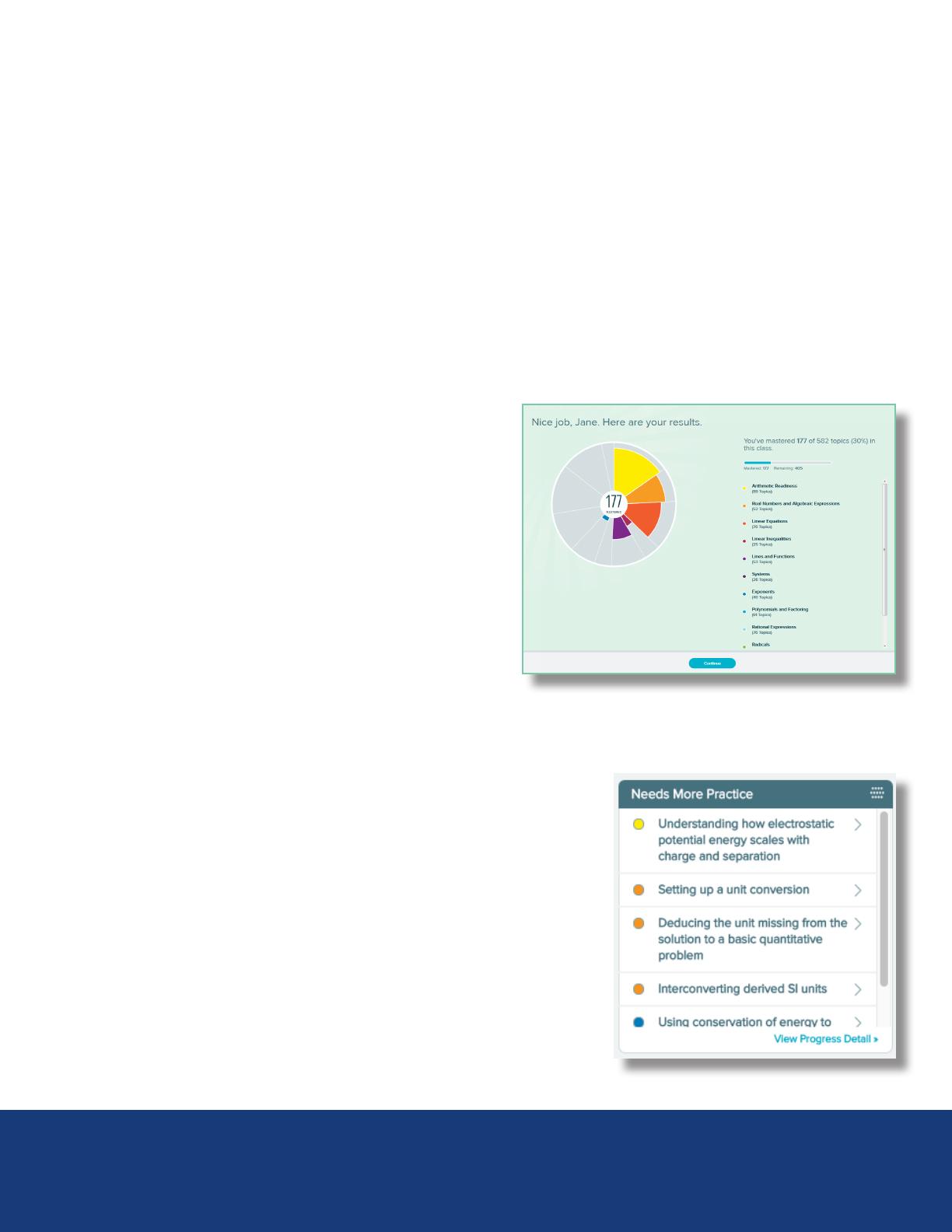
Knowledge Check Results
Knowledge Check results are different from traditional test
results. Knowledge Check results appear in the ALEKS Pie Chart.
The colored portion of each pie slice represents how much of
the slice you’ve mastered (which topics you know based on what
you got right on the Knowledge Check), and the gray portion
represents topics not yet mastered. But why this pie chart?
Think about what you do with the results of a typical quiz or test.
Do you look at what you got right? What you got wrong? Do you
wonder why you missed those questions? Perhaps it was a careless
mistake or you need to practice some related skill. Either way, just
knowing which questions you got right and wrong won’t really
help you. But the results of an ALEKS Knowledge Check will.
Instead of just showing you which questions you got right and wrong, Knowledge Check results go a step further and
tell you which topics to focus on in order to improve your mastery of the course and improve your chances of getting an
A on your next exam. Knowledge Checks are essentially saving you time and trouble in the long run.
Where can you find Knowledge Check results?
Knowledge Check results are always available in your Reports section. Open the
menu in the top, left corner of your module and select Reports. From here you
will see a variety of dashboard tiles. The Progress History tile will show your
mastery of the course material based on each Knowledge Check. For example,
if you got 50% on your last Knowledge Check, that means you’ve mastered
50% of the entire course so far. The ALEKS Pie tile will show you which topics
you’ve mastered, learned, and are ready to learn so far in the course.
If you want to see which topics you “missed” on the latest Knowledge Check,
go to the second page of Reports tiles and check out the Needs More Practice
tile. When you’re ready to practice these topics, select “Needs More Practice”
in the filter that appears in the Topic Carousel.
Remember! You may see topics on a Knowledge Check you have not yet learned or have already mastered. ALEKS does this to
reinforce mastery and test the limits of what you know. Also, its completely normal to not remember 100% of the topics you’ve
recently learned, so expect to see some of them in your review. Better to have extra practice than to forget topics on an exam!
/ 2
End of Document
180
You May Also Like

FAQs of ALEKS Knowledge Checks Overview For Students

What is the purpose of ALEKS Knowledge Checks?
ALEKS Knowledge Checks are designed to assess a student's mastery of mathematical topics, providing a personalized learning experience. They adapt based on the student's performance, ensuring that the assessment focuses on areas that need improvement. By identifying both mastered and unmastered topics, these checks help students prioritize their study efforts effectively. This adaptive nature mimics the support of a human tutor, guiding students toward better understanding and retention of the material.
How often are Knowledge Checks administered in ALEKS?
The frequency of Knowledge Checks in ALEKS depends on the course setup by the instructor. Typically, an Initial Knowledge Check is given at the beginning of the course, followed by Progress Knowledge Checks that appear after students have spent time in the system and learned a certain number of topics. If the course includes specific objectives, Knowledge Checks may also occur after each objective is completed. This strategic timing ensures that students receive assessments at appropriate intervals to reinforce their learning.
What topics are covered in ALEKS Knowledge Checks?
ALEKS Knowledge Checks cover a wide range of mathematical topics, including systems of equations, matrices, and other foundational concepts. The system is designed to assess both learned and mastered topics, ensuring that students are continually reviewing and reinforcing their understanding. This comprehensive approach helps students prepare for exams by identifying areas where they may need additional practice or review. The adaptive nature of the checks means that students may encounter topics they have previously mastered to ensure retention.
How do Knowledge Check results help students improve?
Knowledge Check results provide students with valuable insights into their mastery of course material. Instead of simply indicating which questions were answered correctly or incorrectly, the results highlight specific topics that require further attention. This targeted feedback allows students to focus their study efforts on areas where they need improvement, ultimately enhancing their understanding and performance in the course. By tracking progress over time, students can see their growth and identify patterns in their learning.

Related of ALEKS Knowledge Checks Overview For Students